Connect a Source
A Source is a sender of events, such as one Alertmanager: its
channel, its owner team and how its payload maps to an alert's key,
severity, title and node (Source).
It is part of the hub's spec, so it comes in a change set; its intake
token is state, created by an admin. This guide connects an Alertmanager
through the Source alertmanager-prod.
1. Sign in to the hub
Open the hub's address (the one the Hubs page of the cloud shows) and
Sign in with your organisation's account. As the hub's first admin
you have the admin role; the others get theirs from role bindings
(Admin › Role bindings,
authorization).
A hub you run yourself also offers the break-glass admin's password here, for when the identity provider is unreachable.
2. Add the Source
Configuration › Spec lists the spec by kind. New from template
with the template Source opens a new file sources/<name>.toml in a
draft change set; set the channel, the owner team and, where the
channel's default mapping doesn't fit, the mapping
(inbound channels). Once
merged, the Source looks like this:
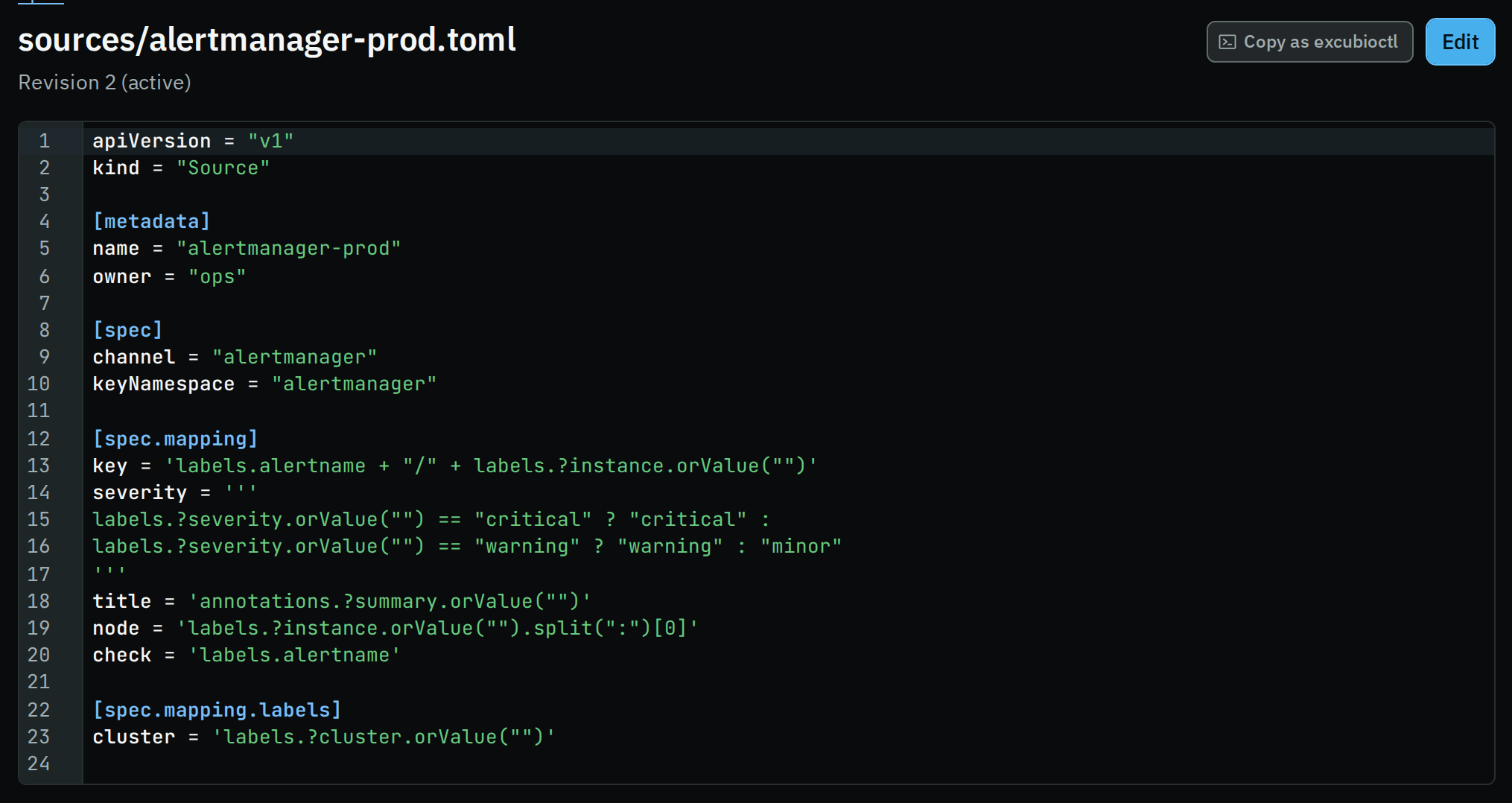
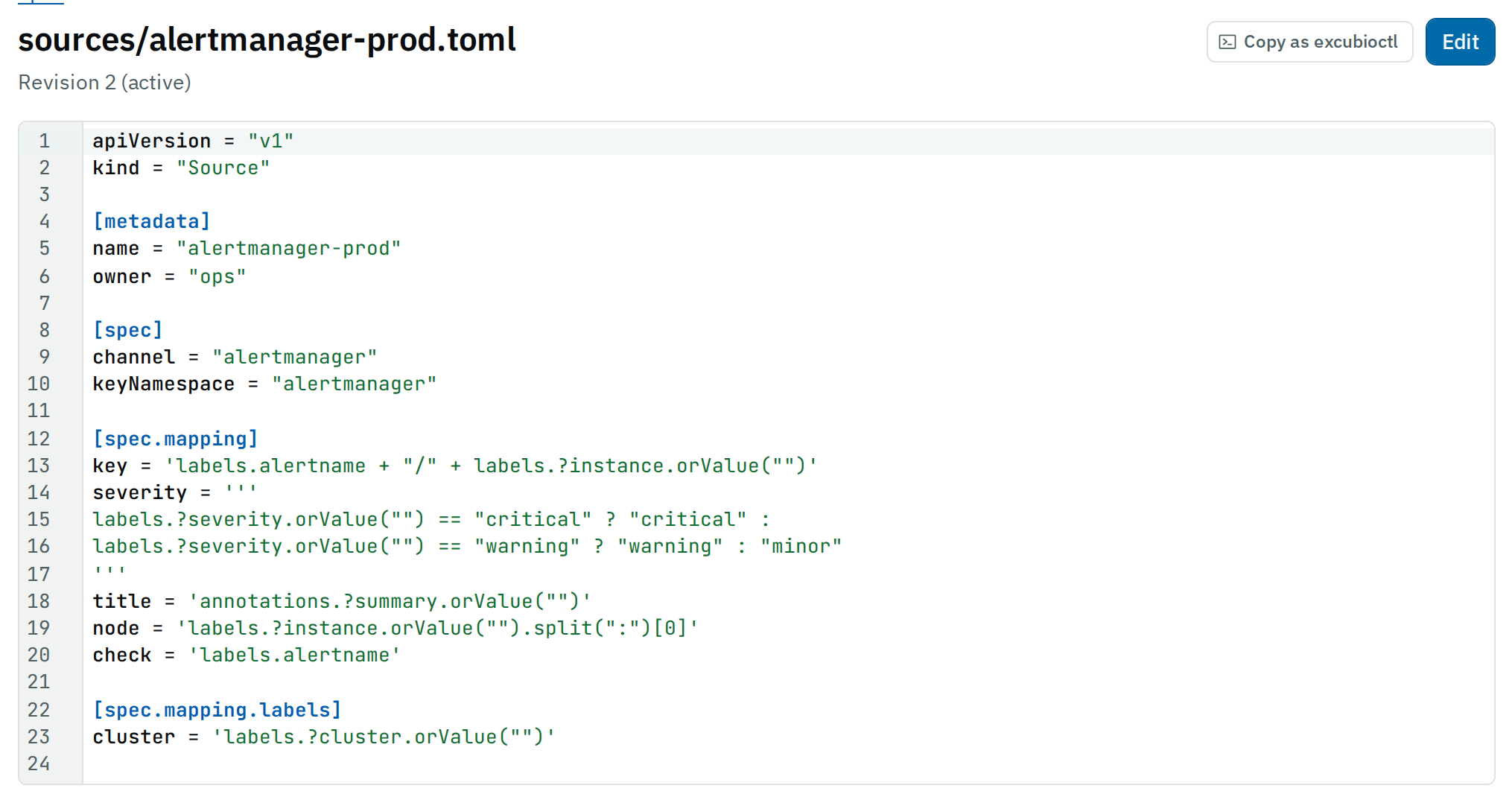
alertmanager, owner ops, and its mapping. ① Edit opens it in a draft.A change to sources/ always needs an admin's approval besides the
author's work (approvals); Make a
change set walks through review and merge.
3. Create an intake token
Admin › Sources lists the Sources of the active revision with their intake of the last 24 hours. New intake token, at the end of the Source's row, creates a token for the Source and shows it once ①:
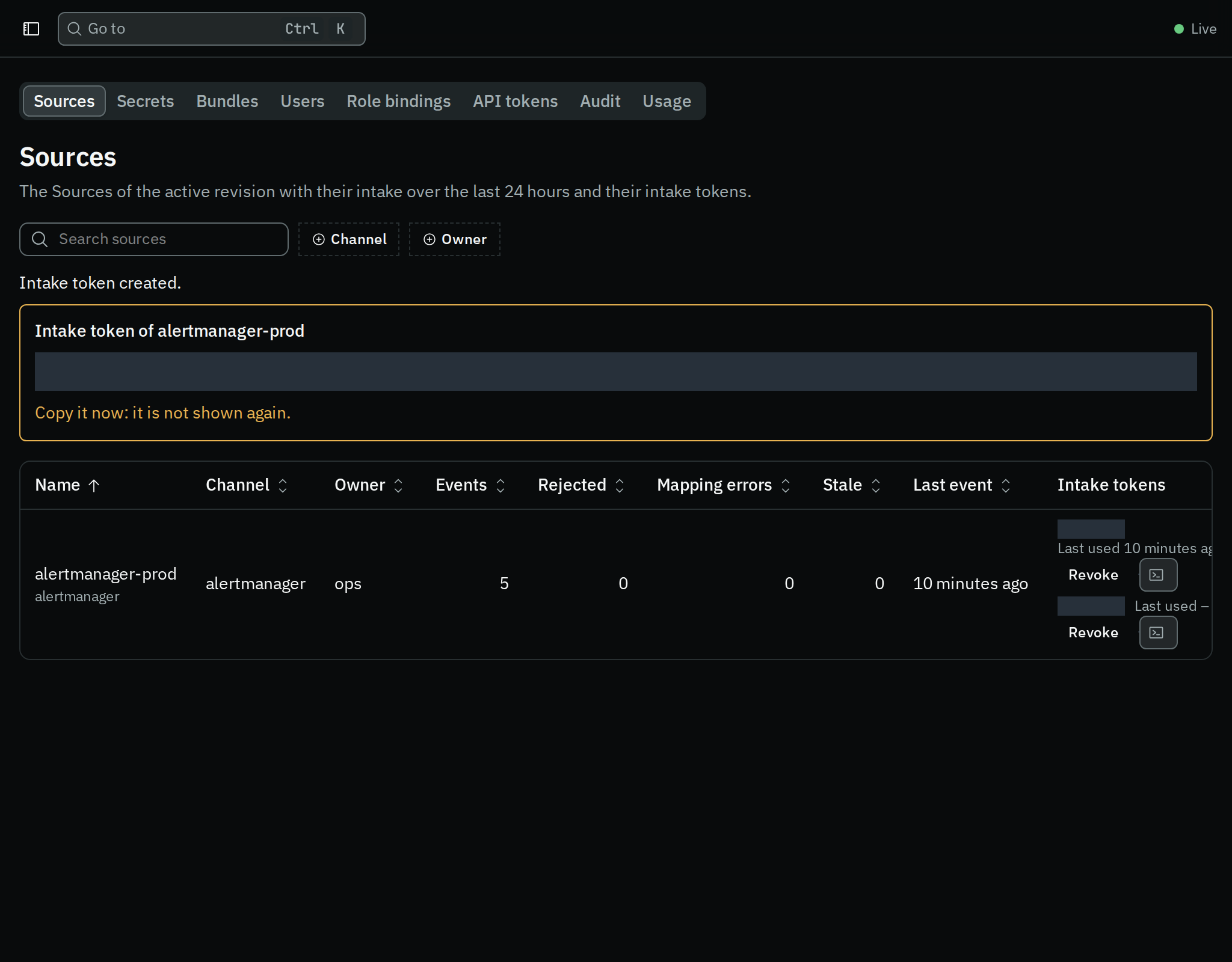
Copy it into a file the sender reads. A token works for its Source only
and is revoked here (Revoke);
excubioctl source token create alertmanager-prod prints one too
(command reference).
4. Point Alertmanager at the hub
The alertmanager channel takes Alertmanager's webhook at
/ingest/alertmanager/<source>, with the token as bearer token:
receivers:
  - name: excubio
    webhook_configs:
      - url: https://acme-alerts.hubs.excubio.example/ingest/alertmanager/alertmanager-prod
        send_resolved: true
        http_config:
          authorization:
            credentials_file: /etc/alertmanager/excubio-token
The hub answers 202 once it stored the events and 401 for an unknown
or revoked token. Other channels and their transports are listed in
inbound channels, what
happens to an event in the pipeline.
5. See the first alert
When Alertmanager sends a firing alert, it shows under Operations › Alerts, routed to its team:
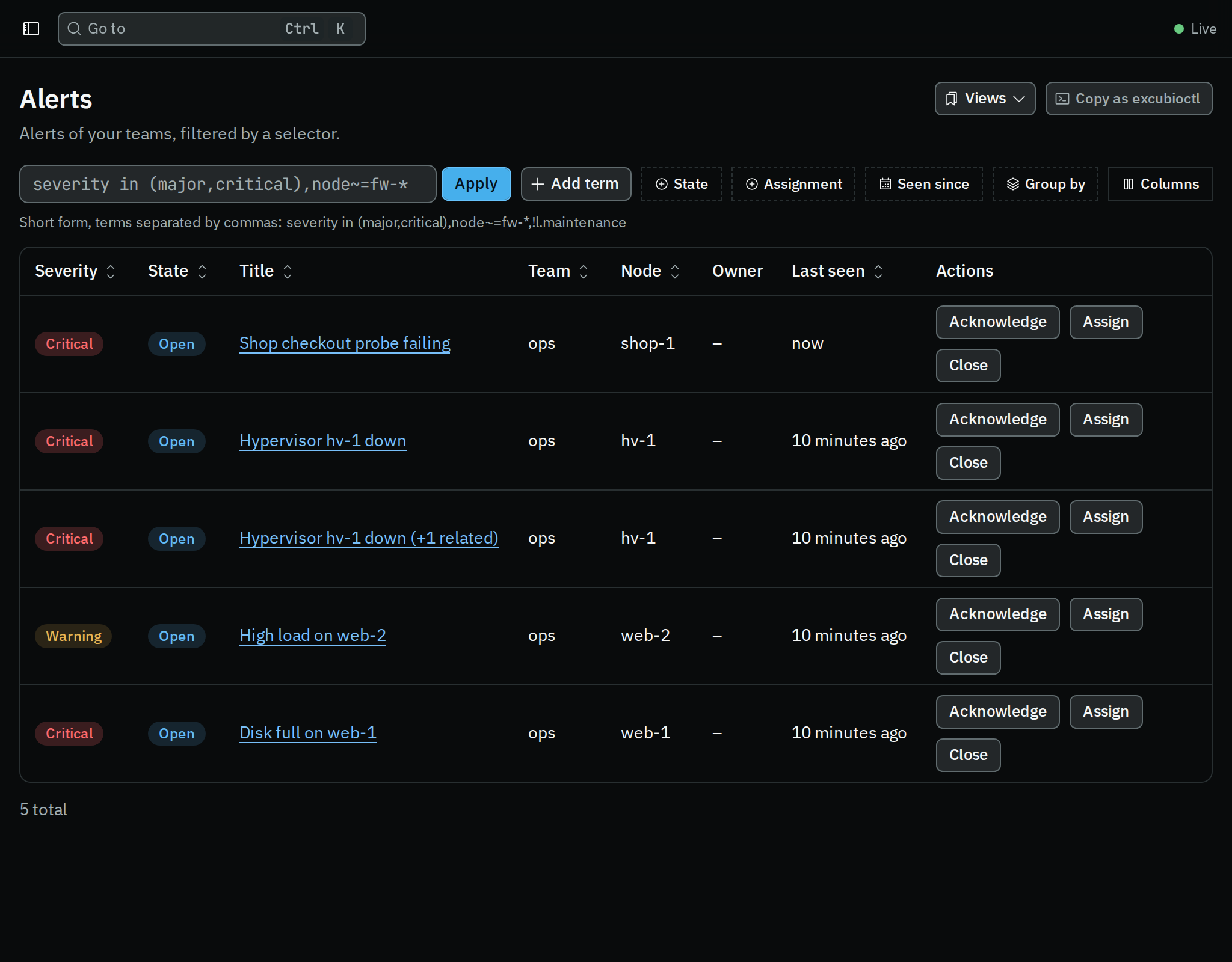
A critical alert of ops pages the rotation ops/primary here: the
spec's Classify rules set the facts team and oncall, and an
ActionRule pages. Read an alert shows how to see why;
excubioctl alerts list lists the same alerts.